What Are Draw Calls?
As a game developer, it's important to learn about draw calls because they can have a big impact on the performance and success of your game. By optimizing the number of draw calls in your game, you can make it run smoothly on a wider range of devices, which means you can reach a larger audience and potentially make more money.
Additionally, ensuring that your game has a smooth and enjoyable experience for players is crucial for keeping them engaged and wanting to play for as long as possible. Unoptimized games can drain a device's battery quickly and also cause the device to heat up, which can be frustrating for players and cause them to stop playing sooner.
By understanding draw calls and how to minimize them, you can help ensure that your game delivers the best possible experience for players on any device, while also helping to extend the playtime, battery life, and comfort of their device.
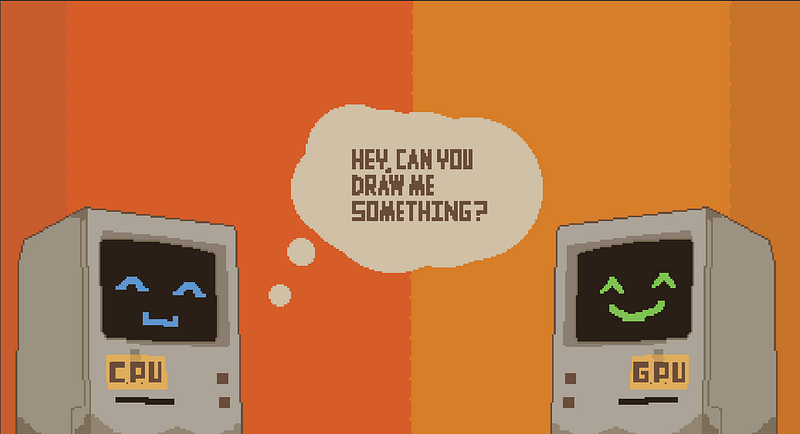
A draw call is a request made by the CPU to the GPU asking it to calculate the color of pixels on the screen. This request includes information such as vertex positions, vertex normals, vertex color, UV coordinates, and shader properties. The GPU uses this information, along with the math described in a shader, to determine the appropriate color for each pixel.
Draw calls are sent for each frame we want to render. We usually want between 30 to 60 frames per second. We can calculate the time we have to draw the frame as the fps/1000ms since there is 1000 ms in a second. And so our budget is between 32.666 to 16.666 ms to render a frame. During that 32 to 16 ms we also need to do all the game logic and other stuff so each ms is important. If we don’t manage to do all the tasks we have in the budgeted time we will have frame drops with visual stutters.
Batching Techniques
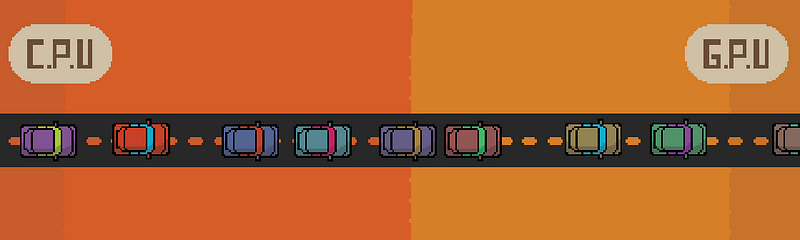
Imagine that the CPU and GPU are connected by a road. Draw calls are like cars traveling on this road from CPU city to GPU city to get to work. When there are only a few cars on the road, traffic flows smoothly and everyone arrives at their destination efficiently.
However, as the number of cars increases, traffic slows down and it takes longer for everyone to reach their destination. In this situation, we can alleviate the traffic by encouraging more people to use public transportation, such as buses. In the context of draw calls, "batching" is equivalent to using a bus. By grouping multiple draw calls into a single batch, we can reduce the number of cars on the road and improve performance by reducing the amount of traffic on the road between the CPU and GPU.
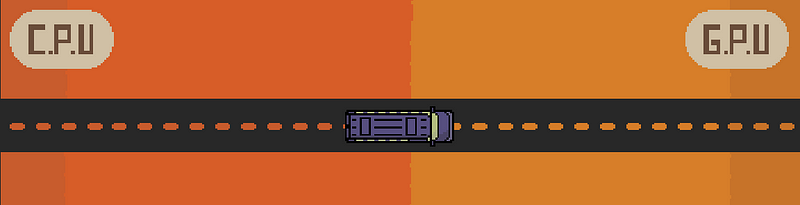
Batching is the process of combining multiple draw calls into a single one to reduce traffic between the CPU and GPU, much like how a bus is used to transport a large number of people in a single vehicle. There are several different types of batching, each with its benefits and limitations.
Types of Batching
- Static batching is a process in Unity that combines multiple static meshes into a single mesh at import time, in order to reduce the number of draw calls made to the GPU and improve rendering performance. The combined mesh is stored in memory on the CPU and can be accessed by the GPU when needed. However, static batching is only applied to static meshes and cannot be used with meshes that are animated or modified at runtime.
- Dynamic batching combines multiple small meshes with 300 or fewer vertices that use the same material into a single larger mesh at runtime for each frame.
- SRP batching combines multiple meshes that use the same shader into a single larger mesh at runtime during each frame. It only works in SRP rendering pipelines like URP, HDRP, and custom SRP.
- GPU Instancing is a technique that enables the efficient rendering of multiple copies of the same mesh or material. Instead of having the CPU issue separate draw calls for each instance, all the necessary instance data is sent to the GPU, which then handles the rendering of all instances in a single draw call. This can lead to significant performance gains, especially in cases where there are many instances of a single object in a scene.
- UI batching combines draw calls for UI where the UI uses the same material and the sprites all are in the same Atlas. There is a caveat where the hierarchy of the UI can affect the batching. If object A and object C have all the requirements to be batched but object B is between them and is either not in the atlas or has a different material then A and C will not be batched.
To enable our buses to carry as many people as possible we need to make sure that we adhere to each busses rules. So make sure for example if you are using dynamic batching to use as few materials as possible or if your using SRP batching to use as few shaders as possible. It's important to understand the rules of these buses to maximize your performance.
Batching is an effective way to reduce traffic between the CPU and GPU, but it is not without its costs. All batching techniques, except static batching, require processing on every frame, which can impact performance. To minimize the impact of batching on performance, we can try to reduce the number of draw calls that need to be batched. One way to do this is to “bake” or combine meshes that are unnecessarily separated. This would be like asking our draw calls to work from home.
Culling Techniques
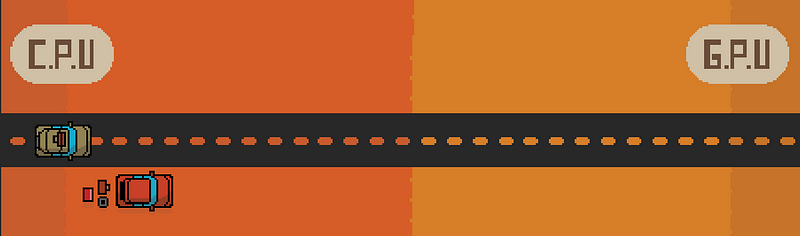
It's important to understand culling as well. Culling are techniques of reducing the things we need to render. It's like telling people who are sick to stay home cause they aren't needed today and we don't want to waste energy on them.
Types of Culling
- Frustum Culling is a technique where we don't try to render things that are out of the camera's frustum.
- Z Culling is a technique where an opaque triangle (a triangle that has no transparency and is rendered on the opaque queue) is covered by another opaque triangle and is thus not visible to the user and so we don't render it. It's important to grasp if you have 1000 boxes that are transparent and the first one is blocking the other 999 boxes from the camera you will still need to render those 999 boxes.
- BackFace Culling is a technique where we don't draw the vertices that are facing away from the camera. So if a car is facing the camera dead on you won't draw the trunk causes it's on the back face of the car.
- Occlusion Culling is a technique involving discarding objects or triangles that are not visible to the user due to being occluded by other objects in the scene. This can be done using a variety of techniques, such as bounding volume hierarchies or occlusion maps.
Optimizing Draw Call Content
We also have to consider the content of the draw calls. While you might think that having 10 draw calls is better than 100 you might be wrong, because it depends. Each draw call is a unique butterfly. Each one has data it passes and a shader it wants to use. The more complex the shader the more time it will take the GPU to calculate what color the pixel should be. So like cars the more weight they carry the slower they are. If we want to go faster we have to give our draw call a weight and simplify what it does.
Besides the actual shader itself, we have two more things in the draw call that affect how fast its request is calculated in the GPU: the number of vertices and the number of fragments. Vertices are the points that represent the 3d models we want to render and the fragments are the data structure that represents pixels on the screen.
The shader has a vertex function and a fragment function. The fragment function goes over each fragment and the vertex function goes over each vertex. So the fewer fragments and verts we have the less work there is to be done. We can create models which have a low poly count that way we reduce the number of verts, and we can lower the render scale in that way instead of a fragment being 1:1 with the screen pixel we can have a single fragment represent 4 or more pixels, this will make it so there are fewer fragments overall.
Summary
So if we sum this up if we want our road to be clear we need to reduce traffic. To reduce traffic we replace cars with public transportation like buses. Each bus has its own limitations so we need to make sure that we make It so we can pack as many people as we can on a bus. To improve the traffic, even more, we ask people to work from home. And lastly, we ask people who commute to diet so they weigh less. I think that sums it up nicely.