Night in the Woods is a beautiful game that I highly recommend you play if you like adventure games. When working on a personal project, I wanted to create a dialogue bubble. As it happens, the one from the game is very pretty, and I wanted to use something similar in my project.
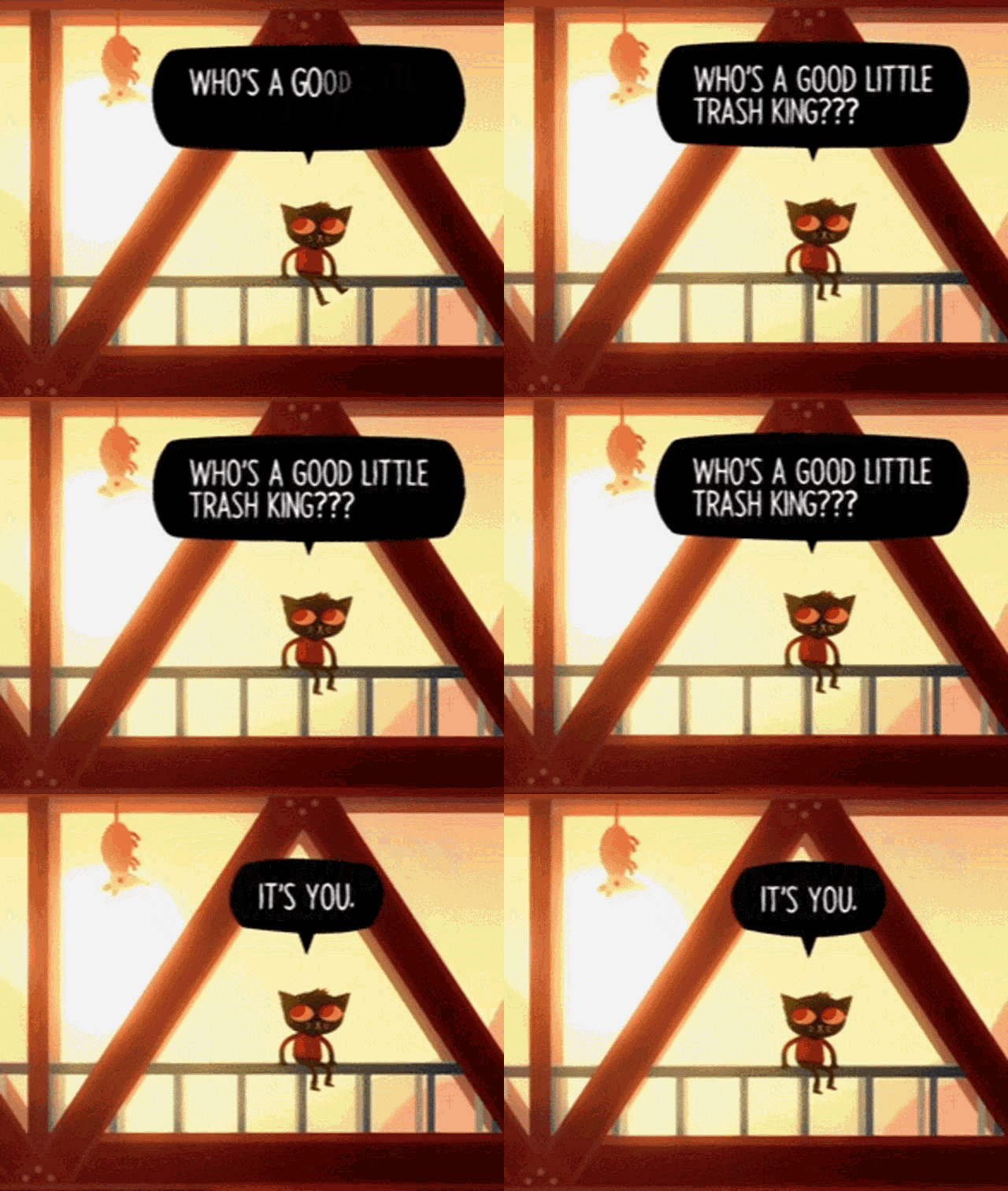
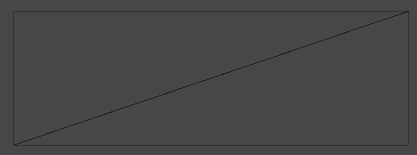
When looking at this effect, the first thing that came to mind was to use a vertex offset to move the sprite around. This is similar to how we use shaders to animate tree foliage. But a sprite has very few vertices, typically just four corners forming a quad. The effect with the tree foliage works because there are many vertices you can move around to create organic motion. The sprite vertices look like this basic quad structure, which severely limits what vertex manipulation can achieve.
The Solution: UV Manipulation
Instead of using vertex offset to create the desired effect, we can use UV manipulation. The UV coordinates determine the mapping between the texture and the mesh. If we manipulate these coordinates, we can change how the texture appears on the surface, creating the illusion that the texture itself is wobbling
The first thing we're going to do is try adding noise directly to the UV coordinates:
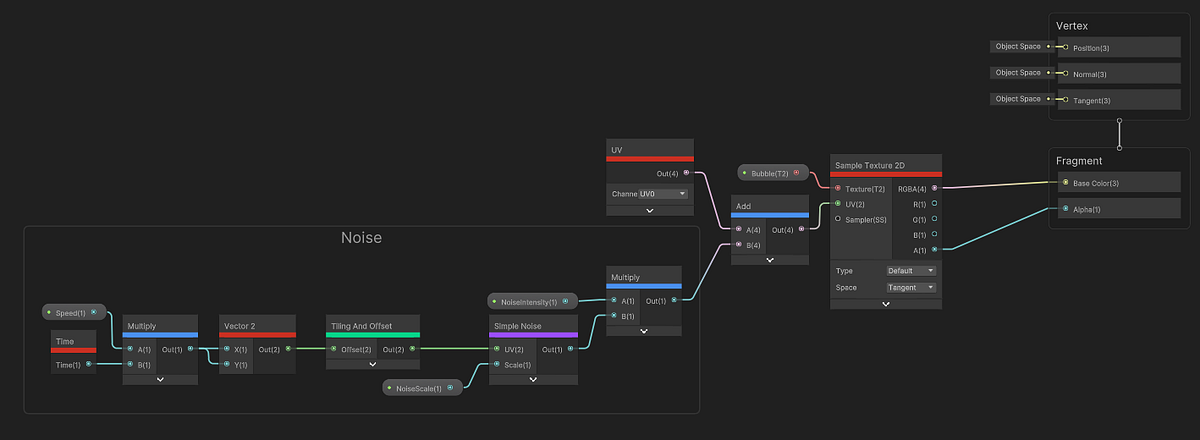
Here is the result in the shader graph preview:
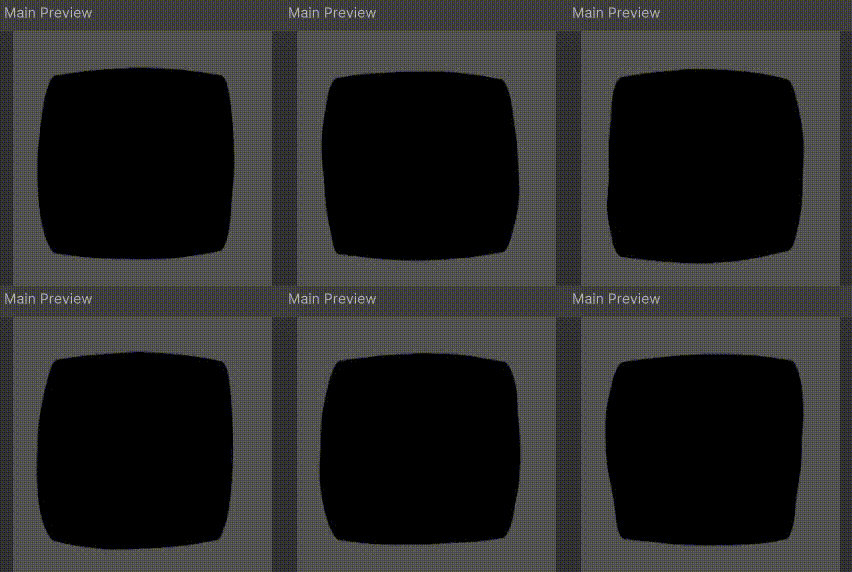
Oh, so we have a problem …
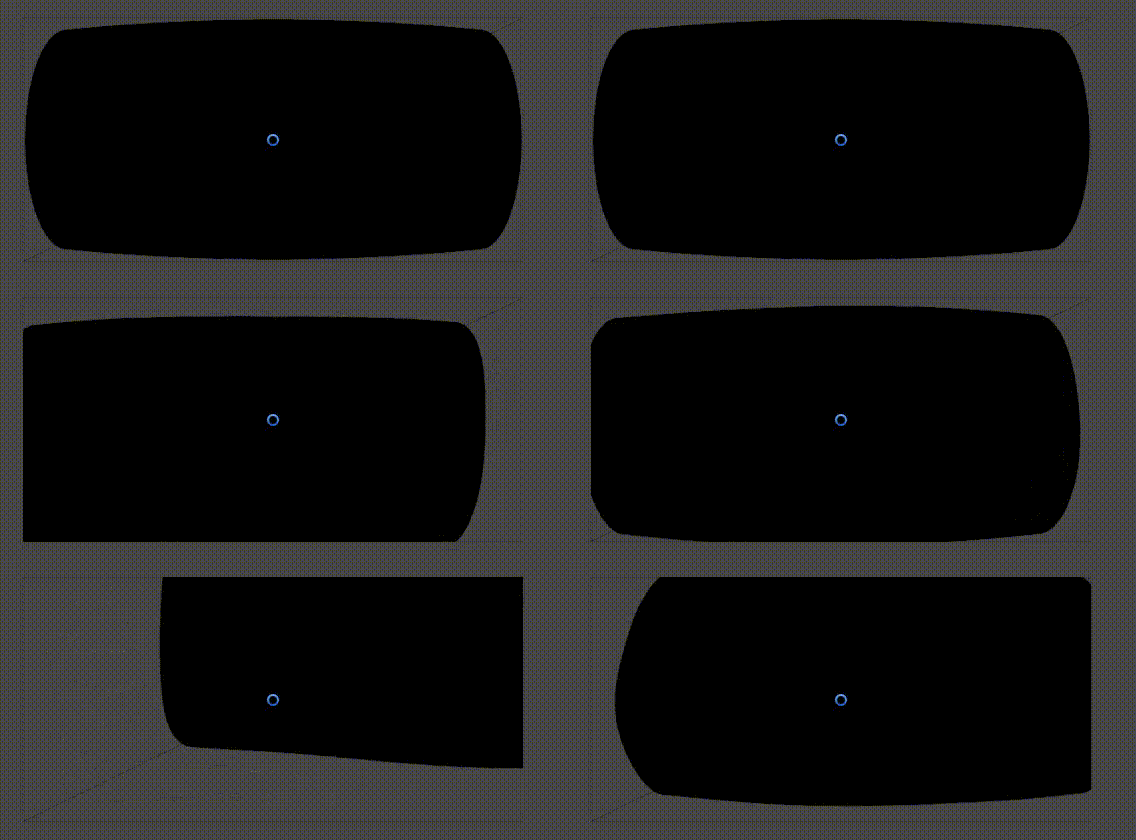
The problem becomes immediately apparent, when we move the noise intensity above zero, parts of the shape get cut off. This happens because we’re uniformly shifting the entire UV space. When we add positive noise values, we move the entire image toward the top-right. When we add negative values, we move it toward the bottom-left. The texture sampling goes outside the 0–1 UV range, causing the cutoff.
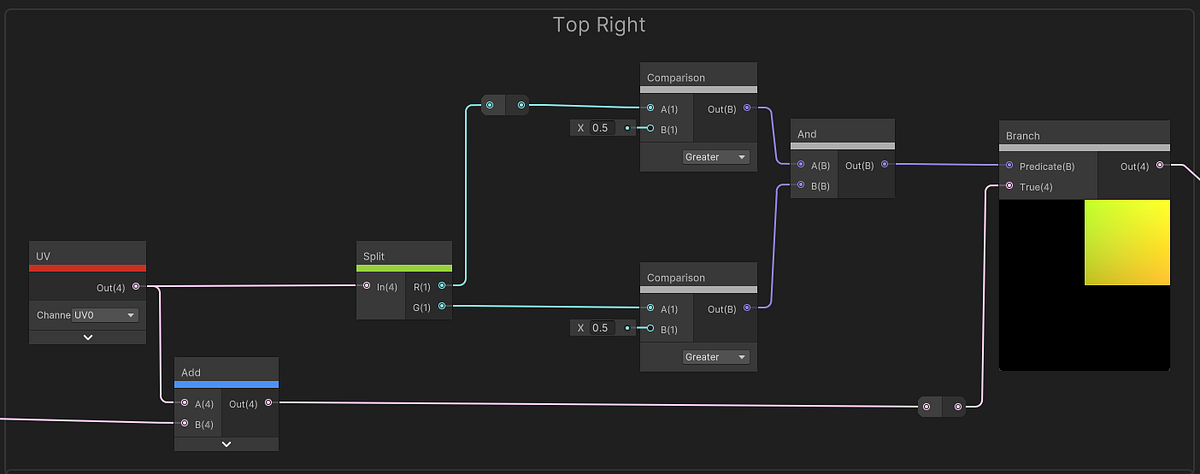
To solve this, we need to apply the noise directionally rather than uniformly. The key insight is to divide the UV space into four quadrants and apply noise that pushes each quadrant toward its center, creating the wobble effect while keeping the shape intact.
We’ll split the UV coordinates and apply different directional forces to each quadrant:
For the Top Right, we will add XY to move to the center.
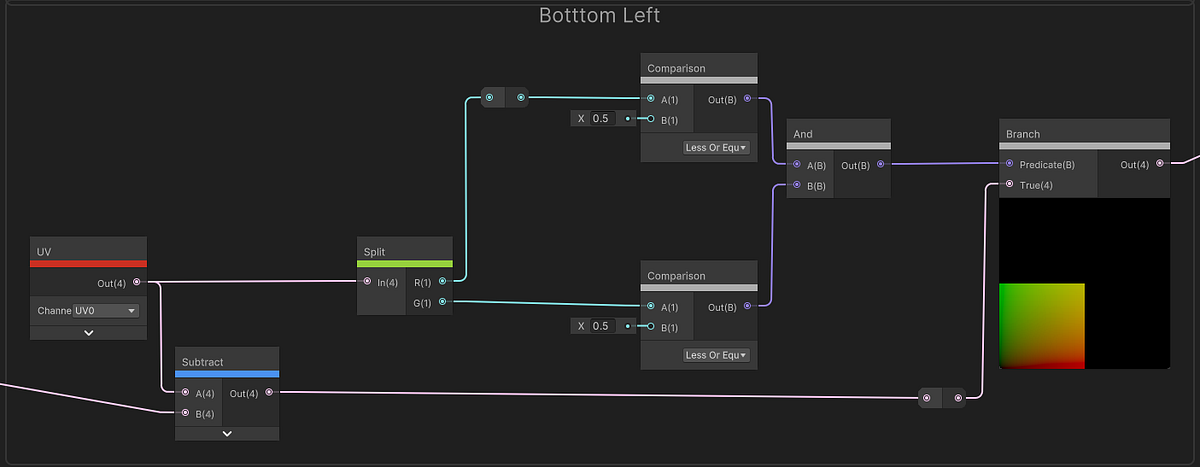
For the Bottom Left, we will subtract XY to move to the center:
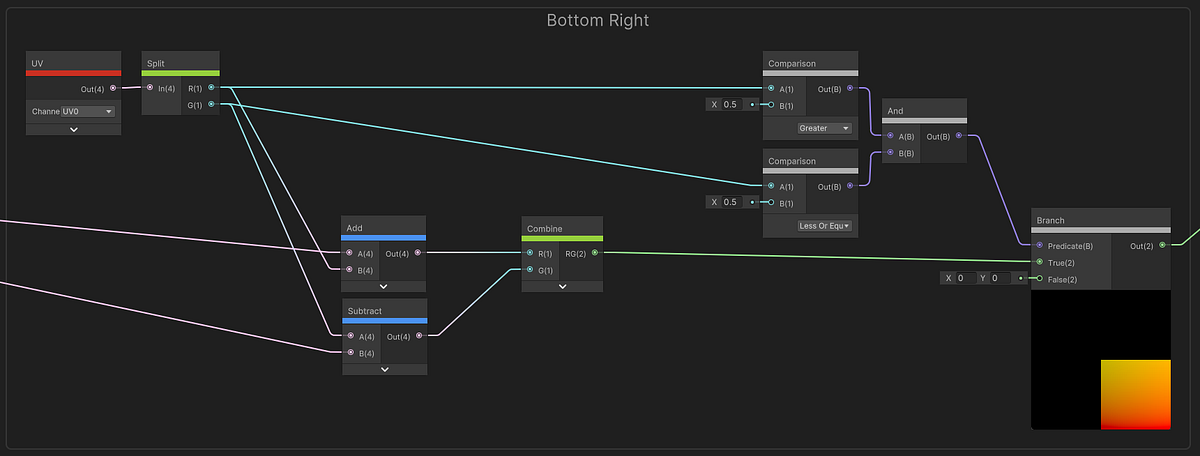
For the Bottom Right, we will add X and subtract Y to move to the center:
For the Top Left, we will subtract X and add Y to move to the center:
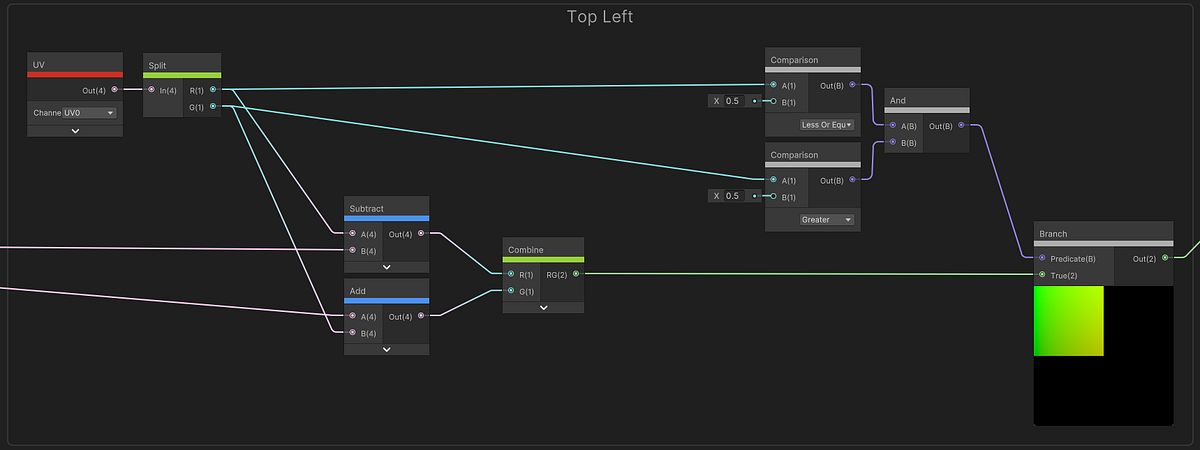
Together, it looks like this:
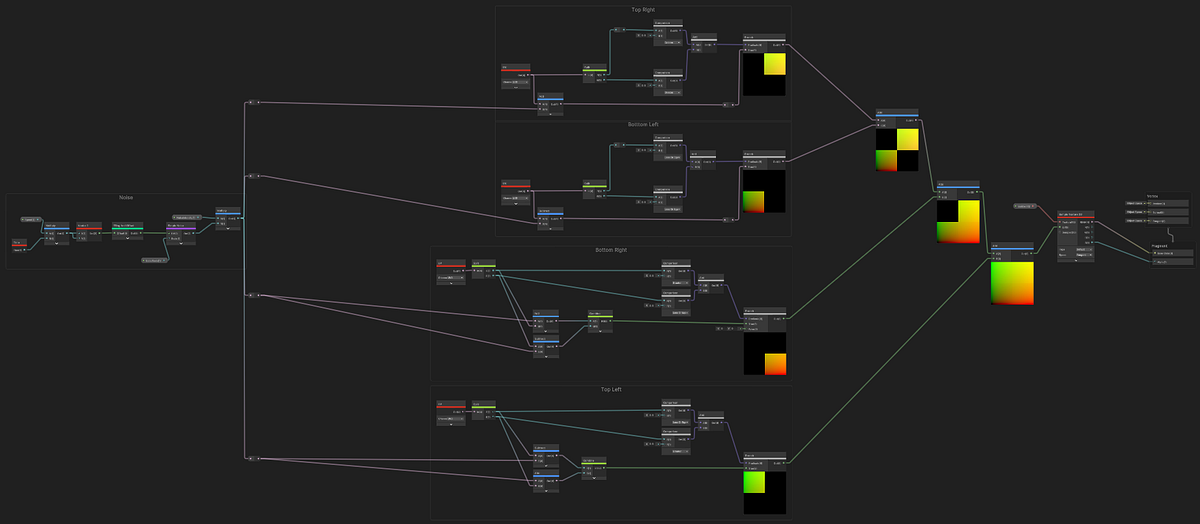
This quadrant-based approach ensures that pixels near the edges get pulled inward, creating the characteristic wobble without losing the overall shape boundaries. The noise creates organic movement while the directional constraints keep the effect contained within the sprite’s bounds.
The Result
The final shader creates a convincing recreation of Night in the Woods’ dialogue bubble effect. The texture appears to wobble and breathe organically while maintaining its overall shape and readability. By manipulating UV coordinates instead of vertices, we achieve complex visual effects even with simple geometry.
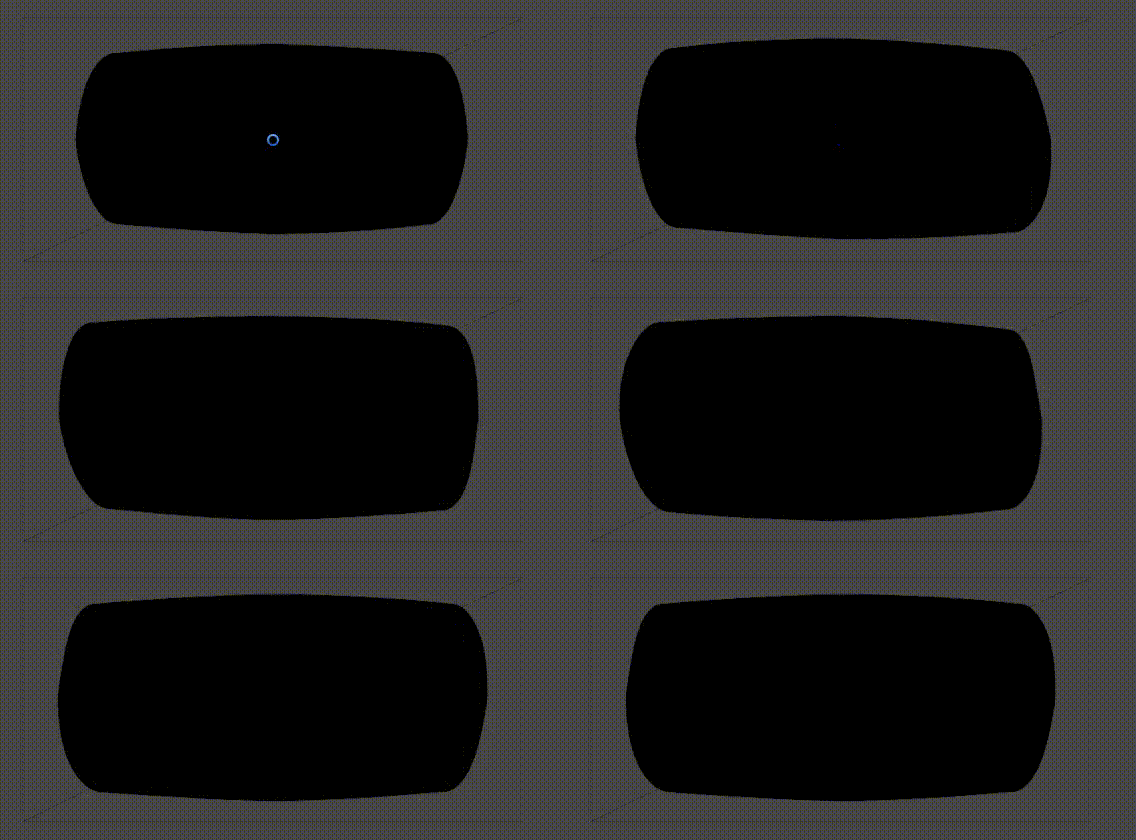
This technique can be extended beyond dialogue bubbles, any UI element or sprite that needs organic, breathing motion can benefit from this approach. The key is understanding how UV manipulation can create the illusion of complex deformation without requiring complex geometry.